Role
Product Designer
Client
SkyHive
Duration
6 months
Overview
SkyHive offers advanced workforce solutions leveraging AI to transform job-based processes into skills-based systems. Their platform helps businesses optimize workforce strategy, close skill gaps, and increase employee engagement. Their services include creating dynamic job definitions, building skills inventories, and facilitating workforce planning. Additionally, SkyHive offers tools for governments, educators, and individuals to better connect skills with career pathways and opportunities.
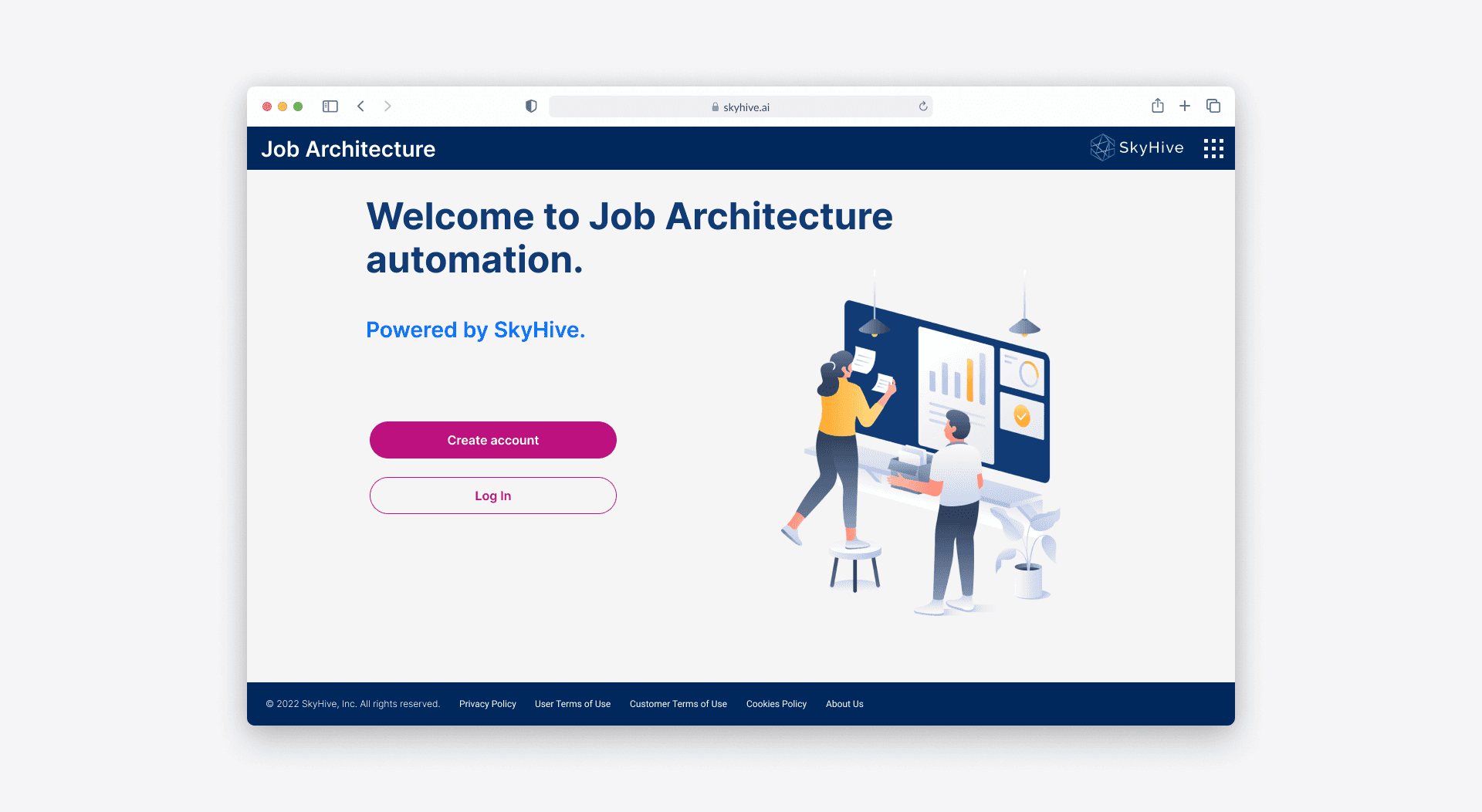
SkyHive set out to design a comprehensive tool to assist HR analysts and managers in Fortune 500 companies. The tool would allow them to conveniently access and modify their job catalogs, comprising various job profiles, via an app called Job Architecture.
My team’s primary objective was to create a workflow for an HR Manager or Analyst to organize their company’s job profiles and benchmark them against the current labor market for the Job Architecture application.
Opportunity
Manually tracking job profiles causes missed opportunities
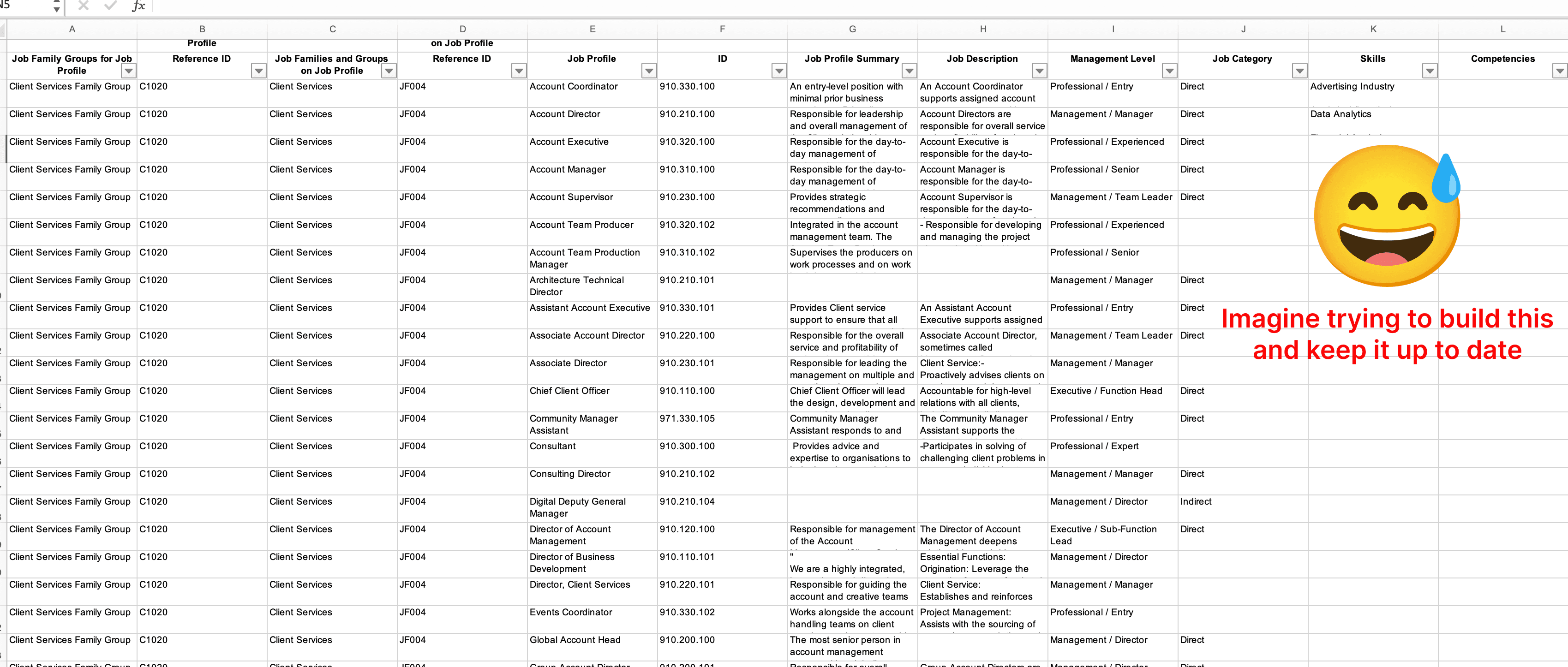
Organizations’ job structures and titles take time to visualize, keep up to date, and keep relevant to current labor market titles. Currently, HR professionals must be domain experts in these roles and titles and do manual work to check for updates and analyze changes in the labor market. Often, this work does not happen, and organizations can find themselves unable to hire effectively. Some orgs don’t even know this is a problem until during hiring.
By attaching skills to each position in their job catalog HR managers can visualize their workforce capabilities.
Support HR by revealing skill gaps and building plans to close them.
Remove the manual process of updating their job catalogs, which can be time-consuming and easily out of sync with the evolving labor market of job titles, skills, and descriptions.
The goal
Automate the creation of client job definitions and structure, prioritizing skills and ensuring a bias-free approach. This will help organizations optimize their job architecture and allow for easy visualization and editing of job titles and descriptions.
Learning the HR domain
At the start of this project, we had an idea of the type of experience we wanted users to have. As somebody new to HR tech, I partnered with our product manager, who had previous experience in this domain.
What is a job profile?
A job profile provides an overview of the responsibilities, requirements, and qualifications for a particular job within an organization. It outlines the key tasks, skills, and knowledge needed to perform the job effectively. A job profile typically includes the job title, job summary, qualifications, and requirements. Job profiles serve as a guideline for recruiters and hiring managers during the recruitment process, help applicants understand the job’s expectations, and provide employees with a clear understanding of their roles and responsibilities.
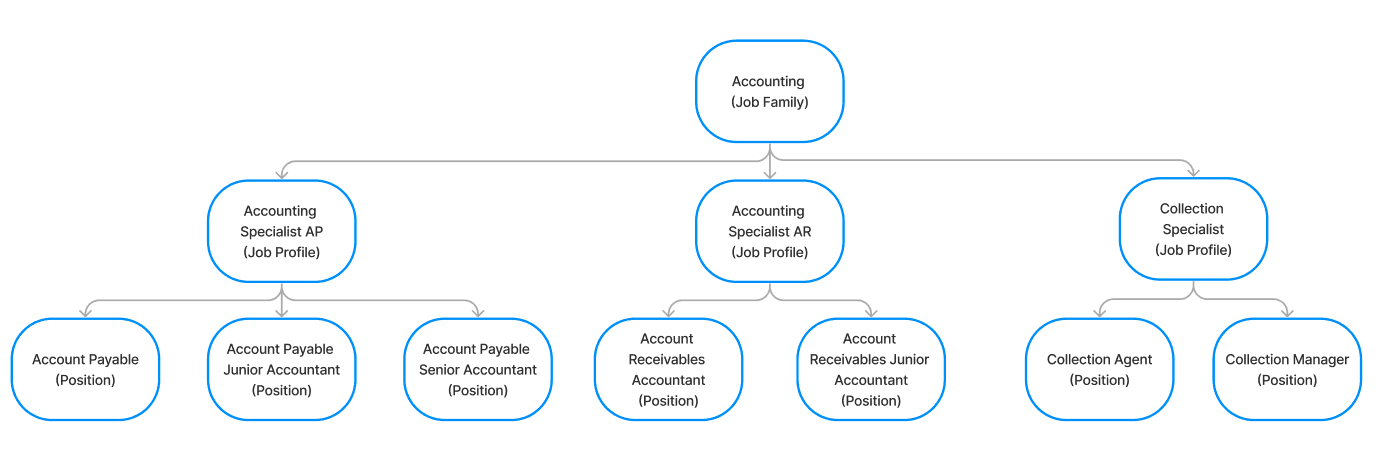
The structure of a typical job catalog contains multiple layers of a job family stemming
from a top-level group down to thousands of job profiles.
A job family group can have multiple subgroups called job families, for example (right screenshot)
Accounting Specialist and Collection Specialist are nested within Accounting.
Keeping the HR Analyst and HR Manager top of mind
The initial proto-persona for Job Architecture is the HR Analyst and HR Manager within a Fortune 500 organization. These were created from research and collaboration with my PM on the project.
Creating these personas guides ideation and helps achieve the goal of delivering a good user experience for the target user group. Additionally, it helped me understand the diverse needs, behaviors, and goals of different user types who might interact with a product.
Prioritizing the MVP
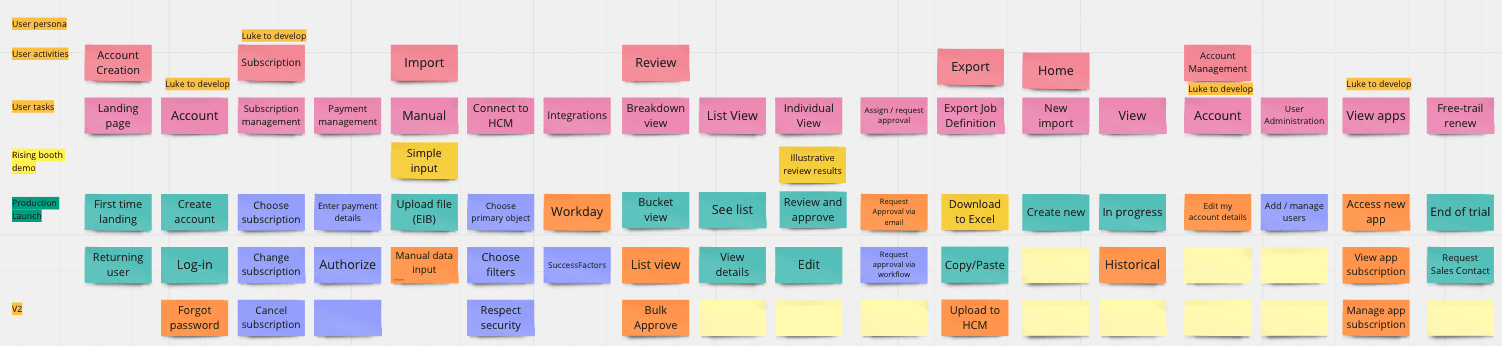
Since we were designing for the MVP, we were unlikely to implement all the solutions that would solve our users’ problems at this stage.
To decide what the must-haves are for the product, the product manager, VP Head of Product, and I listed the user problems we wish to solve and prioritized them based on necessity, business strategy, development feasibility, and management.
The evaluation process helped us focus on the priorities and plan for future product development.
Exploring layouts and flows
While designing the interface, I also worked with the PM and developers to define the user flow so we could optimize the more data-intensive areas.
User flow

Additional constraints
Due to certain circumstances, the company decided to pivot Job Architecture and be wrapped into the main Enterprise product.
We tested and learned that customers didn’t want independent products but wanted integration with Workday.
We found out its expensive to build in a different tech stack
Needed to build in the core product of Enterprise
I experimented with several different layouts for the landing page, job profile selection, and details page. This was an opportunity to test out different flows.
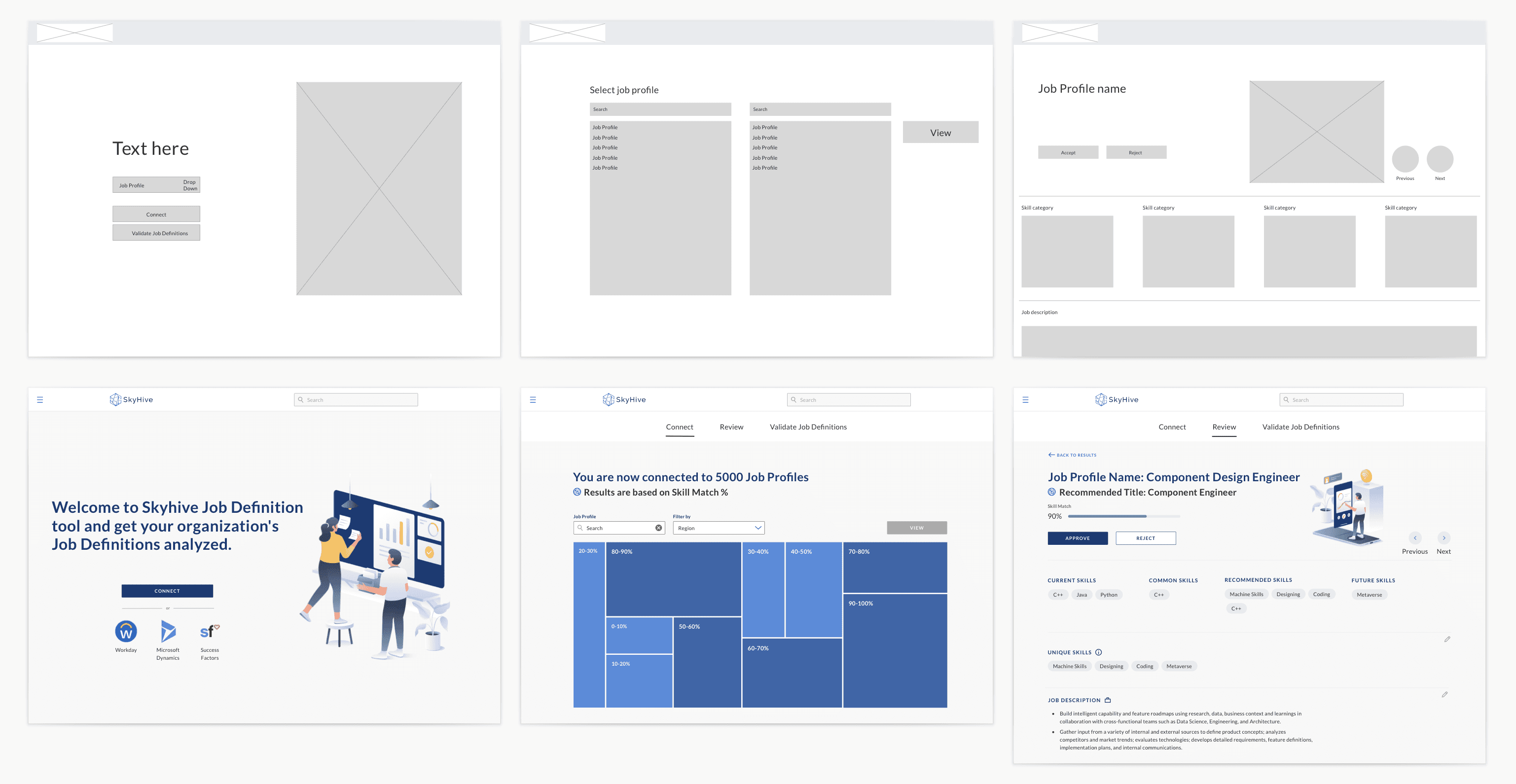
What didn’t work in the designs
• Using a tree map to show incremental percentages of a job catalog was not the most effective visual option.
• Missing an upload/import experience where the user can bring their job catalog via Excel spreadsheet from their organization.
• Having no homepage.
What did work in the designs
• We can group job profiles into more significant categories using a filter.
• Create an upload experience prompting the user what formats are accepted to view their job catalog.
• Create a homepage for the user to land on to create a new job architecture, import a job catalog, connect to integrations with Workday or SuccessFactors, and track items in progress.
Testing with users
I worked in agile sprints with engineering, refining the designs as feedback came in.
Internal user feedback
After deciding on the wireframe for my first version design, I moved directly to hi-fi (or sometimes mid-fi) prototypes. When designing, I spent most of my time on the design, uploading a job catalog, and the next actions the user would take.
To validate my designs, I held an internal user feedback session within the company, followed by one-on-one sessions with net-new product users, including a computational linguist and a customer support lead. The questions were aimed at usability testing of the prototype.
I prepared a series of prompts and tasks for the user to complete, including asking them to import a job catalog using mock data (as an HR Manager/Analyst would when updating their job profiles).
User interviews
Shortly after the internal feedback, we ran a beta program with preexisting clients interested in job architecture.
Our beta program includes 8 different clients, from companies including: Best Buy, Chick-fil-a, Baker Hughes, Western & Southern Financial Group, and Oriental Bank.
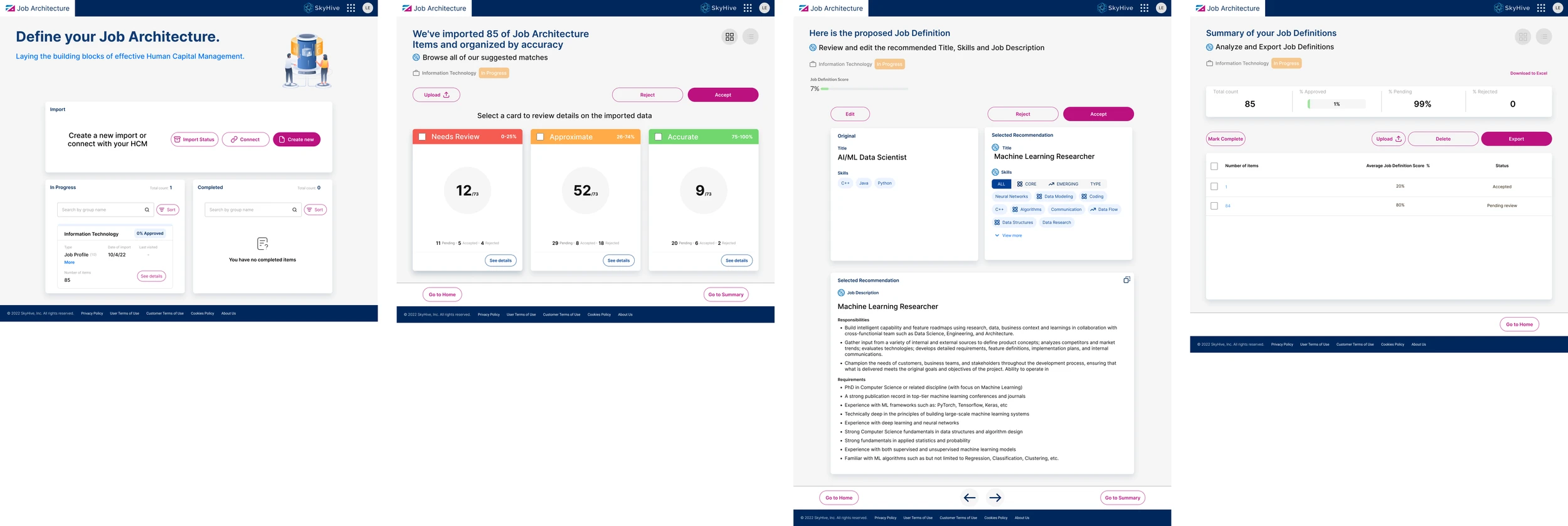
Based on the user interview feedback from the 8 different clients, I continually iterated my designs with 3 major improvements:
Final designs

Uploading a job catalog
Provide format guidelines and an optional SkyHive template download identical to Workday’s format.
After uploading, I eliminated and incorporated the bucket view into the job structure breakdown.


Visualizing a job structure
Based on the user interviews, I designed a tree view to visualize the uploaded job catalog.
The tree view allows users to view their job families and types hierarchically.
At the top, I provided the user with a numeric summary of how each group is distributed (low, medium, high) relative to the labor market.


Edit page enhancements
Showed the original job title next to each generated suggestion in Edit mode, so users can compare before accepting a change.
Kept accepted and rejected profiles clearly labeled, so users always know the status of each item.
Added a clearer export step that confirms what was approved and what happens next.

Outcomes
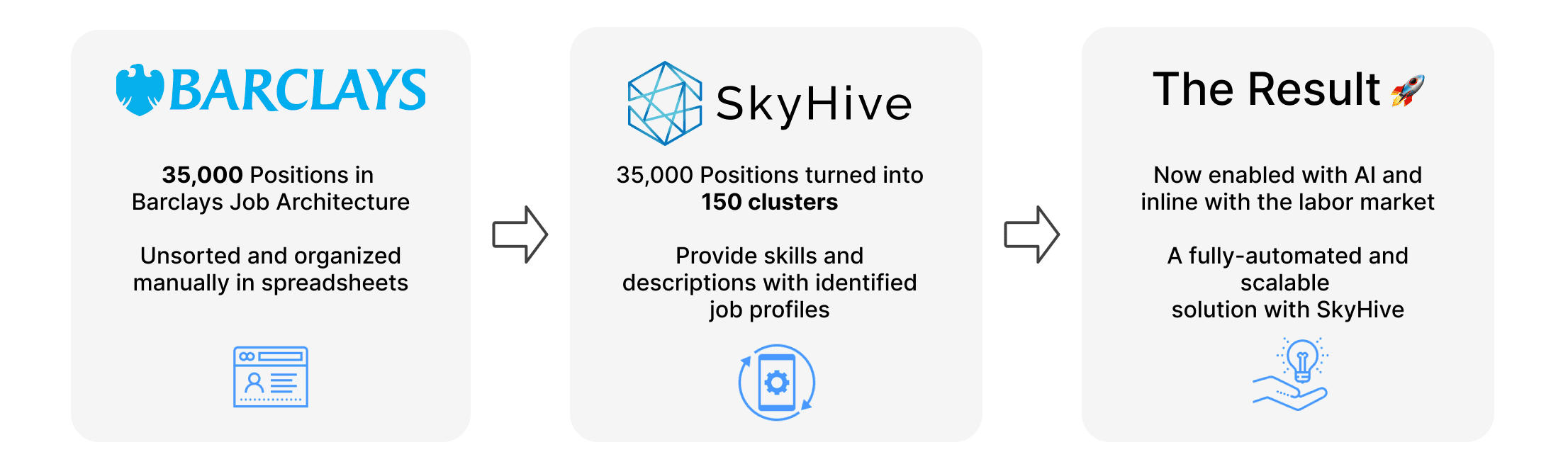
One result of Barclays using this product: